





Usage-based billing introduces real operational and accounting complexity for modern software companies. Billing cycles slip as teams spend hours reconciling files, handoffs, and pricing logic, while errors pile up, making it difficult to trace invoices back to underlying events and increasing the risk of revenue leakage. Fixing this starts with the right foundation.
Over the past few months, we’ve invested heavily in the infrastructure required to make usage-based billing reliable at scale. Last month, we announced Tabs’ real-time usage engine designed to ingest high volumes of usage, validate and aggregate events quickly, and turn raw activity into accurate, auditable billing. Read more about it here.
The next challenge: usage event to invoice traceability
Even with robust infrastructure, another pain remains: visibility. When usage is hard to inspect (or when answering “what happened?” requires jumping across files, tools, and invoice records) teams lose time, confidence, and control. This friction shows up most during month-end close, customer escalations, and audit preparation, when traceability matters most.
Today, we’re introducing product improvements designed to make usage visibility clearer and day-to-day operations faster. Read on to learn more!
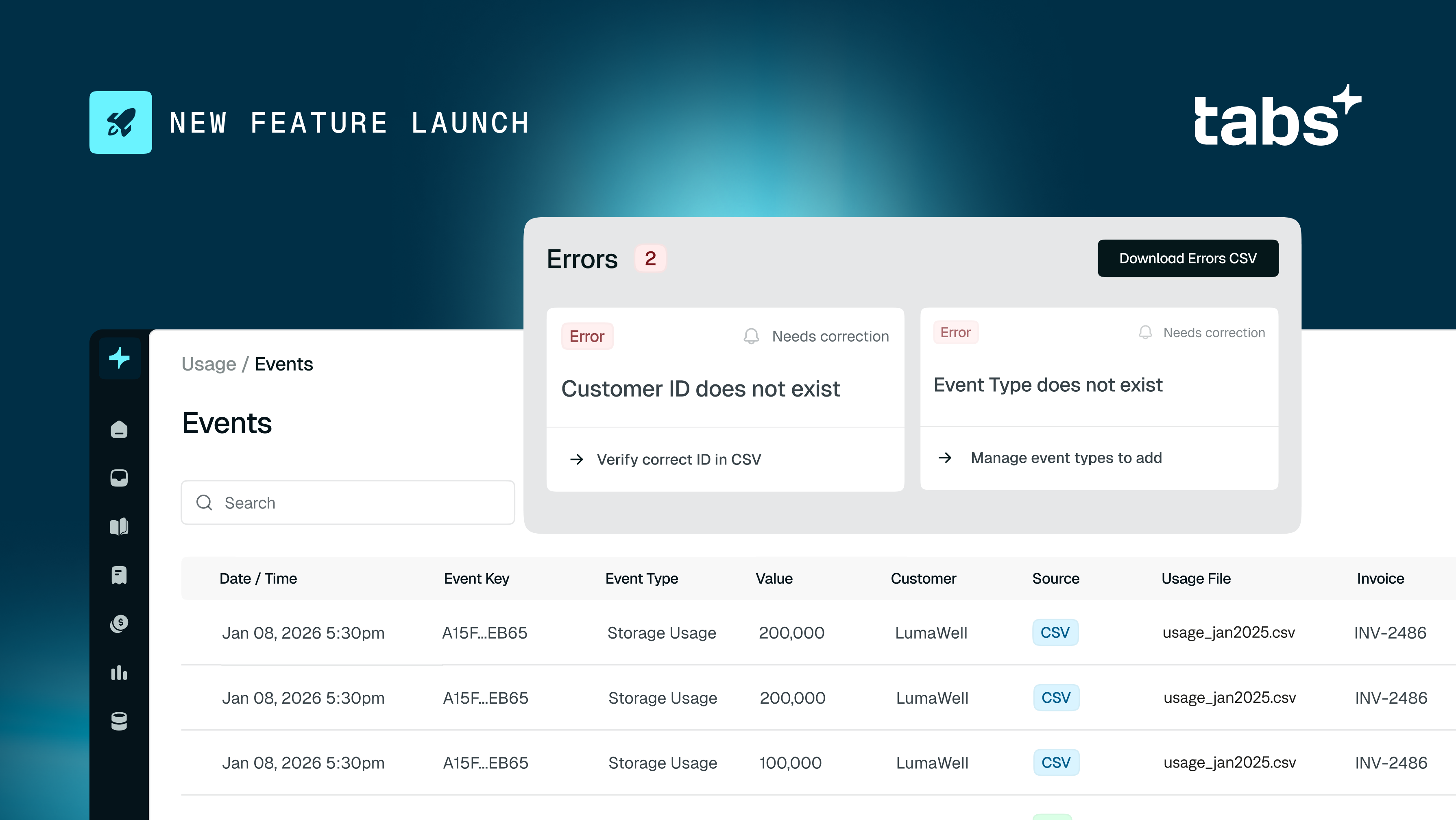
A faster usage CSV upload experience, with built-in error handling
The new upload experience consists of three steps: uploading your CSV file, mapping your CSV columns to the required data fields, and reviewing validation results before submitting your data.
What this unlocks for you:
- Higher confidence that uploaded usage is complete and valid before invoices are generated
- Faster billing cycles, because errors are identified early and resolved quickly
- Less back-and-forth with engineering when usage files need cleanup or re-upload
Watch a demo of this entire flow below, or learn more by referring to our Help pages.
A real-time Events view that ties usage directly to invoices
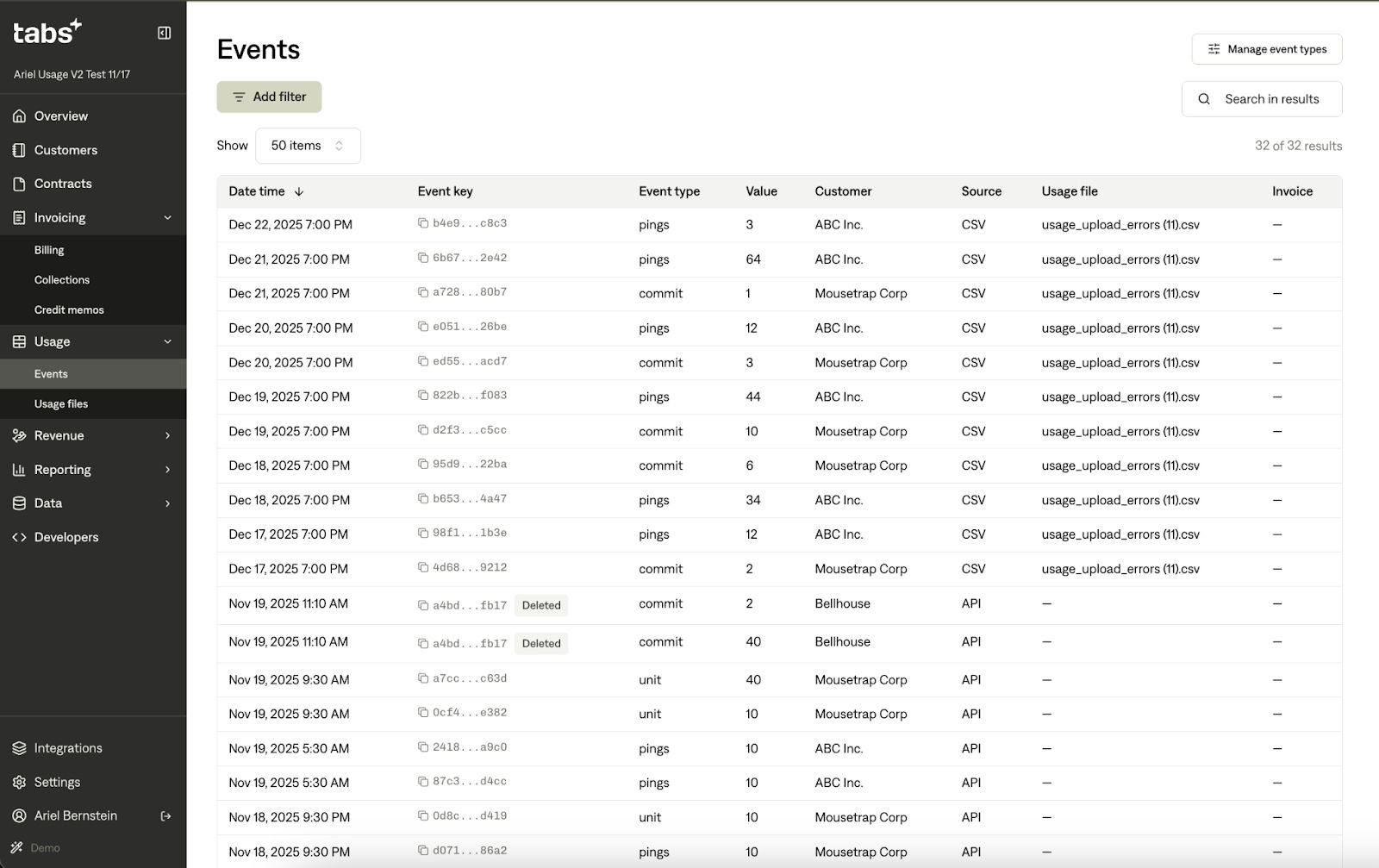
The Events page is your system-wide “ledger” for usage; it accounts for every individual usage record Tabs has received, whether it came from the API, a CSV upload, or an invoice edit. The Events page gives you a single place to inspect the raw building blocks of usage-based billing, including the following details:
- Date and time when usage occurred
- Event type name
- Value (the numeric amount of usage)
- Customer who generated the usage
- Source (how the event was created: API, CSV, or Invoice update)
- Event key (idempotent unique identifier for the event)
- Associated invoice
What this unlocks for you:
- Faster troubleshooting when something looks off
- Clear traceability from usage to invoice (especially helpful during escalations and close)
- Less time spent reconciling across disconnected systems
Built for fast investigation and reconciliation
You can filter by date range (defaulting to the last 30 days) and by source (API/CSV/Invoice), then search across customer name, event type, or event key to pinpoint issues quickly.
You can also search for events using the search box at the top of the table to find specific events. The search function looks for matches in: Customer name, Event type name, and Event key.
Let’s talk usage
Chat with our team to learn how Tabs can help your team run usage-based billing with speed, accuracy, and confidence, from ingestion to invoice.