






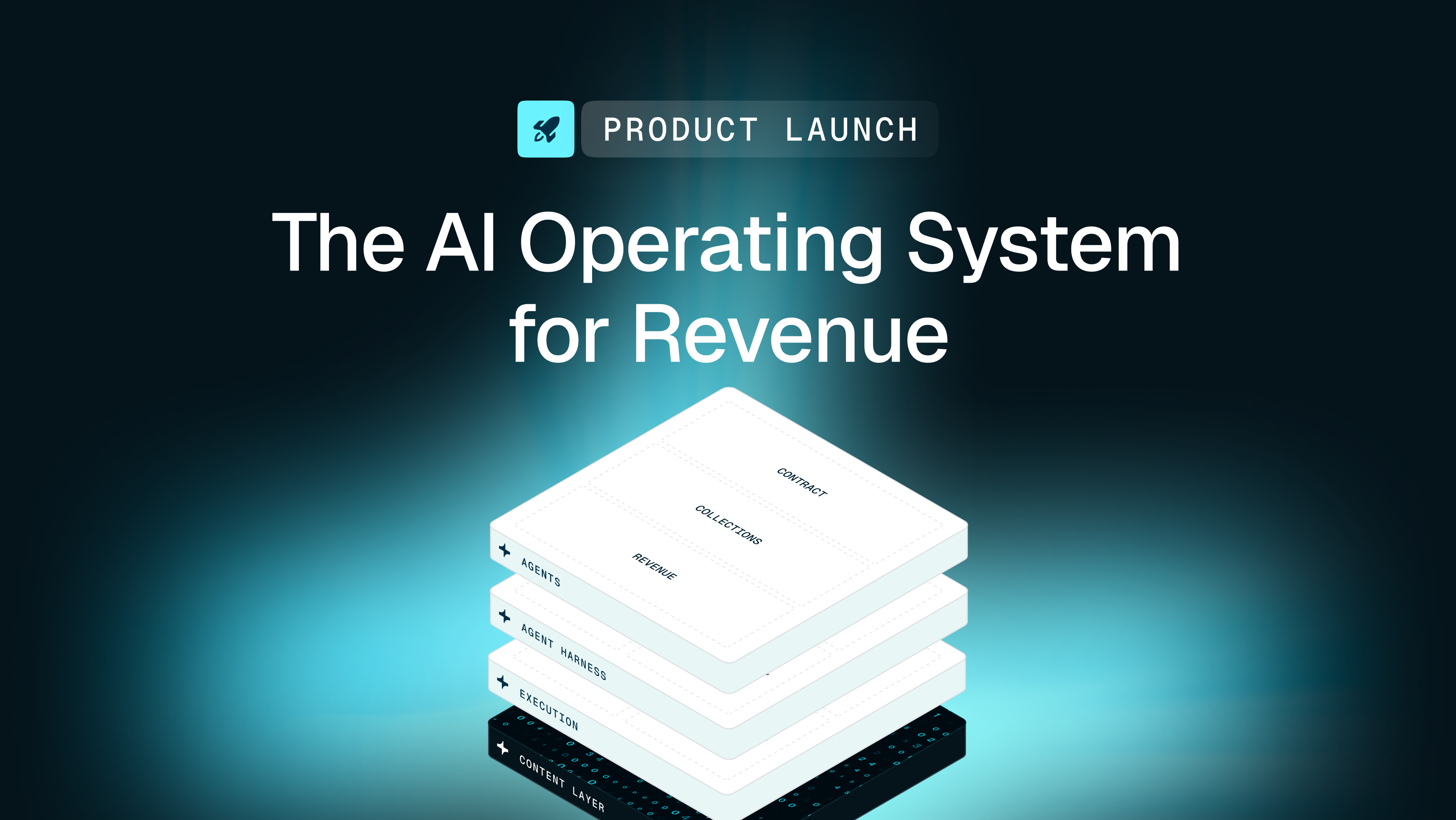


For finance teams at B2B companies managing complex billing models, manual collections, and spreadsheet-based Revenue Recognition, this guide explains how revenue automation platforms transform the contract-to-cash process and what to look for when evaluating solutions.
What is a revenue automation platform?
A revenue automation platform is software that automates the journey from signed contract to recognized revenue—using commercial context to translate contract terms into billing, collections, and Revenue Recognition workflows. This means taking the terms in your executed agreements and automatically turning them into invoices, collections workflows, compliant Revenue Recognition entries, and real-time financial reports—without manual data entry or brittle spreadsheet work.
These platforms sit downstream of your CRM and CPQ tools. They don't manage your sales pipeline or configure quotes. Instead, they operationalize what your sales team has already closed, ensuring every dollar you've earned gets billed, collected, and recognized correctly.
The difference between basic billing tools and true Revenue Automation platforms is depth. Basic tools generate invoices based on static rules you've manually configured. Revenue Automation platforms provide commercial context—they use trained models to interpret the business implications of your contract terms and translate them into accurate billing workflows and Revenue Recognition processes.
Tabs is an AI-powered revenue automation platform built specifically for B2B complexity. Tabs uses AI to automatically extract terms from signed contracts, but it goes beyond simple data capture. Using trained models, Tabs identifies escalator clauses, milestone payments, and usage thresholds, and then applies the right billing and Revenue Recognition logic—without requiring your team to manually parse every agreement.
How revenue automation platforms work across contract to cash
The contract-to-cash process has three distinct phases: getting data in, executing billing and collections, and recognizing revenue accurately through Revenue Recognition. Most finance teams cobble together separate tools for each phase—and spend their days manually bridging the gaps between them.
Revenue Automation platforms reduce those gaps. Data flows from contract to invoice to payment to journal entry without manual handoffs. Every downstream action traces back to the original contract terms, creating a single source of truth for your entire revenue lifecycle.
Contract data layer
Everything starts with your contracts. Revenue Automation platforms ingest signed agreements—PDFs, Word documents, even email attachments—and extract the billing terms, pricing structures, and payment schedules buried inside them.
Legacy approaches force your team to read every contract manually, then re-key the terms into your billing system. This creates errors. It creates delays. And it creates a disconnect between what you agreed to and what you actually bill.
Tabs uses AI to automatically capture contract terms and validate them against your pricing logic in real time. The system doesn't just pull text from a document—it classifies billing clauses, detects non-standard terms, and flags inconsistencies before they become downstream problems.
Why it matters: Clean contract data eliminates the re-keying errors that cascade through your entire revenue operation—KPMG reports a 15% reduction in data quality issues through automated platforms.
Billing and collections workflows
Once your contract data is structured, the platform automates invoice generation. This means automatically creating invoices for subscriptions, usage-based charges, and hybrid models based on the exact terms you negotiated—not approximations your team manually configured.
Collections automation then accelerates your cash flow. The system tracks payment status, sends context-aware reminders, and embeds payment links directly in communications. Smart dunning workflows trigger based on actual customer payment behavior, not arbitrary schedules.
Modern revenue automation platforms don't just show when invoices are due—they forecast when cash will actually land, based on historical payment patterns and contract terms. This gives you real visibility into your cash position, not just your accounts receivable balance.
Why it matters: Automated billing and collections reduce your Days Sales Outstanding (DSO) and eliminate the manual follow-up that consumes your team's time.
Revenue recognition and reporting
The final phase supports compliance with ASC 606 and IFRS 15—the accounting standards that govern Revenue Recognition. Revenue Automation platforms allocate revenue across performance obligations, calculate deferred revenue, and generate the journal entries your auditors need to see.
This replaces the complex spreadsheet models that most finance teams rely on today. Those models work until they don't—until a contract amendment breaks your formulas, or a new pricing model doesn't fit your existing logic.
Tabs provides audit-grade transparency with a complete trail from contract signature to recognized revenue. Every calculation is traceable. Every entry is documented. Your auditors get the clarity they need without weeks of preparation from your team.
Why it matters: Automated Revenue Recognition reduces compliance risk and cuts days off your month-end close.
Automate Contract-to-Cash with Tabs
Core capabilities of revenue automation platforms
When evaluating revenue management software, you need to look past feature lists and understand what actually matters for your revenue operation. Generic automation breaks down when faced with contract amendments, multi-currency transactions, or complex pricing models.
Here are the capabilities that separate true Revenue Automation from basic billing tools:
- AI-powered contract ingestion: Automatically extracts billing terms and commercial context from signed contracts without manual PDF review or data entry.
- Flexible billing model support: Handles subscription, seat-based, usage-based, and milestone-based billing natively—without requiring custom code or engineering tickets to update pricing logic.
- Automated collections with context: Triggers smart reminders based on customer payment behavior, not arbitrary schedules, and embeds payment links directly in communications.
- Compliant Revenue Recognition: Automates ASC 606 and IFRS 15 compliance, handling complex performance obligations and deferred revenue calculations.
- Native ERP integrations: Syncs seamlessly with QuickBooks, Oracle NetSuite, and Sage Intacct for accurate general ledger posting without manual journal entries.
- Real-time reporting: Provides visibility into annual recurring revenue (ARR), cash, accounts receivable (AR) balance, and renewals with complete transparency into what's been invoiced, collected, and recognized.
Tabs unifies these capabilities through what it calls the Commercial Graph—a system of intelligence for the customer record that connects contracts, usage data, payments, and terms. This unified view enables accurate, contextual decision-making across your entire revenue operation.
Business benefits of revenue automation platforms
Speed is table stakes. Cleanliness is the differentiator.
When you implement intelligent automation, your finance team stops chasing down missing data and starts forecasting with confidence. The benefits extend far beyond saving time on manual tasks—EY reported saving 230,000 hours annually through payment automation—like re-keying contract terms, rebuilding spreadsheets for amendments, or chasing past-due invoices.
- Faster close cycles: Real-time data syncing and automated journal entries cut days off your month-end close. Your team stops scrambling and starts analyzing.
- Reduced DSO: Automated, context-aware collections workflows help you get paid faster—a Billtrust study found 99% of companies using AI-powered AR workflows saw DSO reduction. You stop leaving cash on the table.
- Reduced revenue leakage: Capturing every billable event and contract nuance helps ensure you don't miss invoices or underbill for services rendered.
- Audit readiness: A complete, traceable audit trail from contract to cash drastically reduces the time and cost of financial audits. Your auditors get what they need without weeks of preparation.
- Improved forecast accuracy: When your billing data is clean and your recognition is automated, your forecasts reflect reality—not approximations based on incomplete information.
The strategic impact is equally significant. Finance teams shift from reactive administrative work to proactive partnership with the business. You have time to analyze trends, advise on pricing decisions, and support growth—instead of manually reconciling spreadsheets.
Which companies benefit from revenue automation platforms
Not every business needs enterprise-grade Revenue Automation. But if your finance team is drowning in manual processes, struggling with complex billing models, or failing to scale alongside your sales team, it's time to upgrade.
The following types of organizations see the highest return:
- B2B SaaS with usage-based pricing: Traditional billing tools can't handle variable consumption or complex metering. Revenue Automation platforms track usage and bill accurately in real time.
- High-growth companies scaling invoice volume: Manual processes break down as transaction volume increases. Automation lets you scale revenue without linearly scaling your finance headcount.
- Companies with hybrid pricing models: If you mix subscriptions, one-time fees, and professional services, you need a system that can parse and bill these distinct revenue streams accurately.
- Multi-entity organizations: Managing revenue across different geographies and subsidiaries requires robust multi-currency support and consolidated reporting.
- Teams outgrowing spreadsheet-based processes: When your spreadsheet models start breaking—or when maintaining them consumes more time than they save—you've hit the limit of manual approaches.
Tabs is purpose-built for B2B companies navigating this complexity. From high-growth startups to established enterprises, the platform handles the billing and recognition challenges that generic tools simply can't address.
What to look for in a revenue automation platform
Choosing the right platform requires looking past marketing claims to evaluate true financial depth. You need a system that enforces proper controls, integrates with your existing tools, and scales with your business.
The best platforms enhance your current finance stack rather than forcing a full rip-and-replace implementation. They work alongside your ERP, not as a replacement for it.
| What to look for | Red flags to avoid |
|---|---|
| Native ERP integrations | Requires middleware or custom connectors |
| Flexible billing models without custom code | Rigid pricing logic that needs engineering to update |
| Complete, traceable audit trail | Manual documentation required for compliance |
| Commercial context and intelligence | Basic optical character recognition (OCR) that extracts text without applying business rules |
| SOC 2 compliance and enterprise security | Lack of public security documentation |
| API-first architecture | Limited extensibility or closed ecosystem |
Tabs offers native integrations with QuickBooks, Oracle NetSuite, and Sage Intacct, along with robust APIs to connect additional systems. SOC 2 compliance and enterprise-grade security help keep your revenue data protected.
Implementation roadmap for revenue automation platforms
Implementing a new financial system doesn't have to be a multi-year project. Because modern platforms integrate directly with your existing CRM and ERP, you can avoid rebuilding your entire finance stack.
A structured approach ensures you maintain data integrity while minimizing disruption to daily operations.
Prepare data and integrations
The first phase involves auditing your existing contract data, mapping your chart of accounts, and connecting your source systems. Clean data input is essential—errors at this stage cascade through your entire revenue operation.
Tabs uses AI to automatically extract and validate terms during data migration, reducing the burden of manual cleanup. You connect your CRM, payment processors, and ERP to establish the flow of information.
Configure rules and controls
Next, you set up your billing rules, recognition schedules, and approval workflows. This configuration should reflect your existing business logic without requiring custom development.
Tabs allows finance teams to configure these rules directly within the platform. You can run parallel testing in a sandbox environment to ensure every calculation is accurate before going live.
Train teams and monitor KPIs
The final phase focuses on training your finance, accounting, and revenue operations (RevOps) teams on the new workflows. Establish baseline metrics for DSO, close time, and error rates so you can measure impact.
Ongoing monitoring lets you iterate and optimize as your business scales. With a scoped implementation, teams can go live in <30 days and start seeing improvements within the first billing cycle.
Frequently asked questions
Do revenue automation platforms replace ERP systems?
Revenue Automation platforms work alongside your ERP, not as replacements. They handle billing, collections, and revenue recognition complexity, then sync clean, summarized data to your ERP for general ledger posting and financial reporting.
How do revenue automation platforms handle hybrid pricing models?
Modern platforms natively support subscription, usage-based, and milestone-based billing through configurable logic—no custom development required. This flexibility lets your team launch new pricing models without waiting on engineering.
What metrics should finance teams track after implementing revenue automation?
Key metrics include Days Sales Outstanding (DSO) reduction, time-to-close improvement, invoice error rate, and collections efficiency. Teams typically see measurable impact within the first billing cycle as manual processes are eliminated.
Explore how Tabs can help you go live in <30 days. Go Live in 30 Days—Book a Demo