








For finance teams at B2B companies managing complex billing and collections workflows, choosing the right AR collections management tool can mean the difference between chasing payments manually and building a predictable cash engine. This guide breaks down the core features to evaluate, how to assess platforms against your specific requirements, and what implementation looks like when you need to reduce DSO—which has risen 5.7% over the past decade according to PwC—without adding headcount.
What are AR collections management tools?
Accounts receivable (AR) collections management tools are software platforms that automate the process of tracking and collecting outstanding invoices from your customers. They reduce reliance on manual spreadsheet tracking and ad hoc email follow-ups by introducing systematic workflows designed to help you get paid faster.
These tools sit within your broader finance stack, connecting to your ERP and CRM to maintain a system of intelligence for every dollar owed. The best platforms go beyond simple payment reminders—they use trained models to score and prioritize outreach based on payment history, invoice and dispute patterns, and customer-specific risk signals.
What separates modern collections management software from basic accounting tools is commercial context. Generic automation treats every overdue invoice the same way. But platforms like Tabs use AI to interpret signed contract terms and translate them into the right downstream workflows—billing schedules, dunning timing, and Revenue Recognition alignment—based on terms like net-30 vs. net-60 and historical payment behavior. This context transforms collections from a blunt administrative task into a strategic function that protects customer relationships while accelerating cash flow.
Cut DSO with contract-aware collections
Core features of AR collections management software
The features you need depend on your billing complexity—whether you're managing straightforward subscriptions or usage-based billing—and customer base. But certain capabilities separate tools that merely send reminders from platforms that actually reduce Days Sales Outstanding (DSO)—the average number of days it takes to collect payment after an invoice is issued. This distinction becomes critical when managing hybrid billing models that combine subscription and usage components.
Automated dunning workflows
Dunning is the process of systematically communicating with customers about overdue payments. Automated dunning workflows trigger preset email sequences based on how many days an invoice is past due, so your team doesn't have to manually draft follow-ups.
The best tools let you customize these sequences by customer segment. A strategic enterprise account with seat-based billing that's one day late should receive a different message than a chronically late small or mid-sized business (SMB) customer. Tabs takes this further by tailoring timing, sequences, and templates based on actual contract terms—not just invoice age.
Why it matters: Consistent, context-aware follow-up reduces DSO without damaging customer relationships.
AI-powered cash application
Cash application is the process of matching incoming payments to open invoices in your ledger. This sounds simple until customers make partial payments, pay multiple invoices in a single transaction, or send payments without clear remittance information.
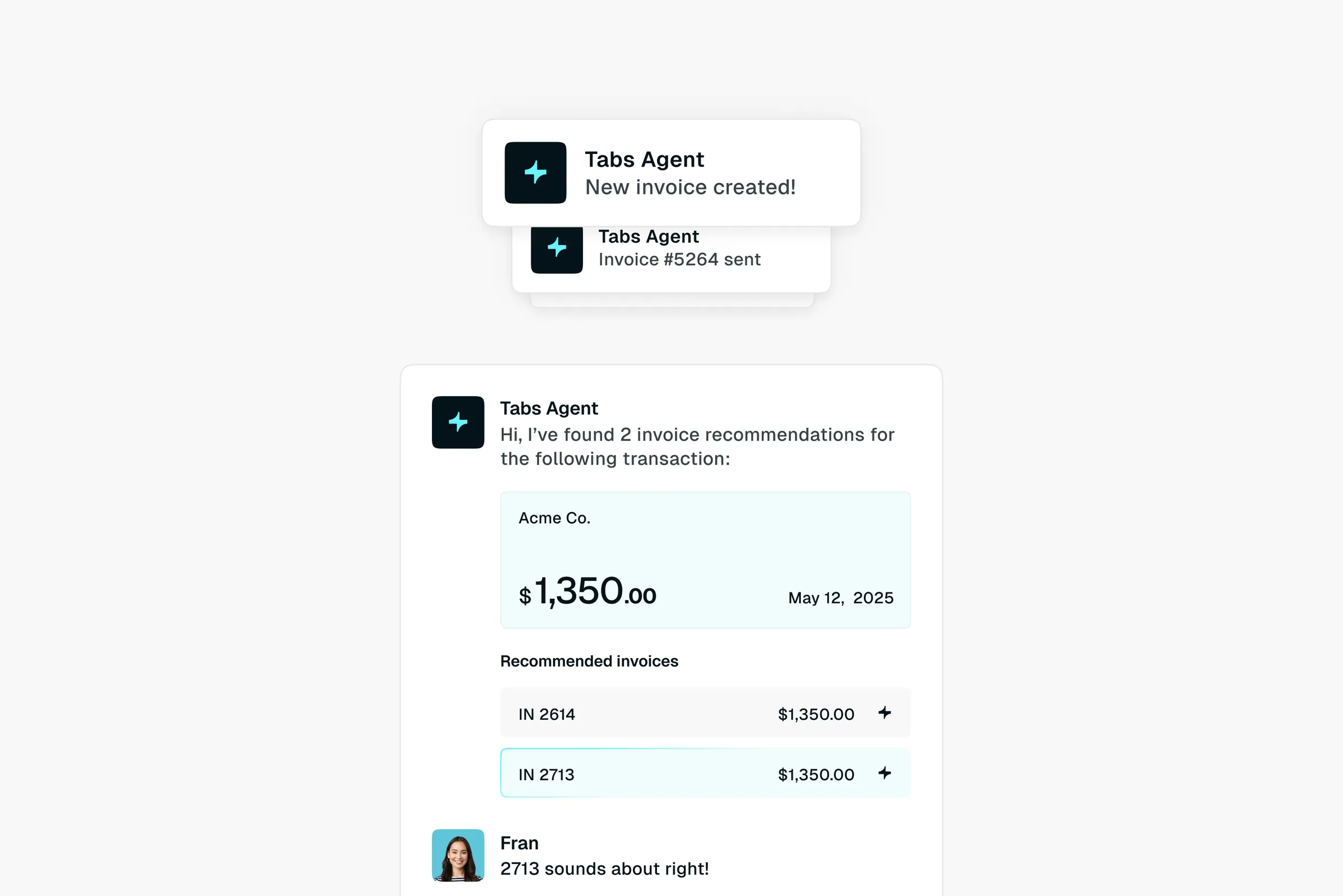
AI-powered cash application uses trained matching models and configurable rules to auto-match payments to open invoices, then routes exceptions for review when remittance data is missing or inconsistent. Tabs connects payment data directly to original contract terms, enabling automatic reconciliation even when the payment details are messy. This reduces unapplied cash and keeps your aging reports accurate.
Why it matters: Manual cash application is slow and error-prone—automation frees your team for higher-value work.
Self-service payment portal
A payment portal gives customers a branded interface to view invoices, download statements, and submit payments. Embedded payment links in dunning emails let customers pay immediately without navigating login screens or hunting for bank details.
For subscription-based billing and other recurring revenue models, autocharge capabilities are essential. Tabs supports automated charging based on stored payment methods, reducing manual payment initiation for high-volume, lower annual contract value (ACV) customer segments.
Why it matters: Every friction point in the payment process delays cash collection.
ERP and CRM integrations
Your collections tool must sync with the systems where invoice and customer data originate. Without robust integration, you'll waste time exporting CSV files and manually updating records across platforms.
Look for tools with native connectors for major systems like NetSuite, QuickBooks, Salesforce, and HubSpot. Tabs provides bidirectional sync—so a payment recorded in your collections tool automatically updates your ERP, and a credit hold in your ERP is visible to your sales team in Salesforce.
Why it matters: Disconnected systems create data gaps that lead to collection errors and customer frustration.
Real-time collections dashboard
You need a centralized view into AR health: aging buckets, at-risk accounts, collector activity, and cash forecasts. But the best dashboards surface actionable insights—not just raw data.
Tabs provides visibility into what's been invoiced, collected, and scheduled for Revenue Recognition in real time. Instead of waiting for month-end close to understand your cash position, you can identify trends like increasing DSO in a specific region and intervene before they become systemic.
Why it matters: You can't manage what you can't see—real-time visibility enables proactive intervention.
Dispute management and resolution tracking
Disputes happen when customers object to invoices due to pricing errors, service issues, or contract disagreements. If these aren't resolved quickly, they rot in your aging report for months.
Your collections tool should capture dispute reasons, route them to the right team, and track resolution status. Tabs links disputes back to the original contract, making it easy to verify terms and resolve issues faster.
Why it matters: Unresolved disputes tie up cash and strain customer relationships.
Audit trail and compliance controls
Finance teams need a complete record of every action taken on an account—emails sent, payments received, disputes logged, terms modified. These audit trails support internal controls and external audits.
Tabs maintains a traceable record from contract signature to cash collection, with role-based access controls and SOC 2-compliant security. This end-to-end visibility means you can reconstruct the entire history of any transaction if questioned.
Why it matters: Audit readiness isn't optional—it's a requirement for scaling finance operations.
How to evaluate and implement AR collections management tools
Choosing the right tool requires more than a feature checklist. You need a clear understanding of your current pain points, integration requirements, and success metrics. Implementation speed matters too—you can't afford a six-month deployment that delays results.
Define requirements and success metrics
Start by documenting your current AR process and identifying bottlenecks. Without a baseline, you can't measure ROI.
Key questions to answer:
- Current state: Where do manual steps slow down collections?
- Pain points: Which issues have the biggest impact on cash flow?
- Success metrics: What specific improvements in DSO, aged AR, or team productivity would justify the investment?
Map data sources and system dependencies
Collections tools rely on clean data from your billing, ERP, and CRM systems. If your data is fragmented or inaccurate, automation will only scale your errors.
Inventory your data sources and identify gaps in customer contact information, payment terms, or invoice history. Tabs uses AI to ingest signed contracts, normalize key terms, and translate them into operational billing and collections workflows—reducing the burden of manual cleanup before implementation.
Score integration depth and flexibility
Evaluate how deeply a tool integrates with your existing systems. Surface-level syncs that only transfer basic invoice data are often insufficient for complex B2B operations.
You need bidirectional data flows that update payment statuses, credit limits, and customer notes across all platforms. Tabs offers native integrations and developer-friendly APIs, enabling custom workflows without engineering bottlenecks.
Assess automation coverage across the AR lifecycle
Some tools only automate reminder emails but leave cash application, dispute resolution, and reporting as manual tasks. Manual processes can add 15-30 days to DSO, so true efficiency comes from automating the entire lifecycle.
Because Tabs sits downstream of CRM and CPQ, it operationalizes signed contracts across contract-to-cash—automating invoicing, dunning, payment tracking, and Revenue Recognition—so finance teams can reduce handoffs that often cause delays.
Validate compliance and audit controls
Security reviews should happen early in your evaluation. Verify SOC 2 compliance, encryption standards, and audit trail capabilities. Request customer references to validate reliability and support quality.
Model DSO impact and ROI
Build a business case by modeling the financial impact of faster collections on working capital. Even small DSO reductions release significant cash for reinvestment—PwC estimates €1.56 trillion in excess working capital remains trapped globally.
Quantify time savings for your finance team as well. Tabs customers have reported materially reducing aged receivables while handling increased invoice volume without adding headcount.
Pilot with high-risk accounts
Before rolling out to your entire customer base, run a pilot focused on overdue or at-risk accounts. This validates the tool's effectiveness and lets you refine dunning strategies without disrupting your most important relationships.
Tabs supports phased implementations—start with a specific segment, prove value quickly, then expand.
Measure results and iterate
Implementation isn't the finish line. Establish a regular cadence for reviewing performance and refining workflows:
- Weekly: Track DSO trends and overdue balances
- Monthly: Adjust dunning sequences based on response rates
- Quarterly: Report AR health to leadership with confidence
Tabs provides real-time reporting to support continuous optimization, so you can adapt your strategy as your business evolves.
Explore how Tabs can help you go live in <30 days.