








For finance leaders at B2B companies managing complex contracts, manual billing creates bottlenecks that slow collections, introduce errors, and keep your team stuck in spreadsheets instead of driving strategy. This guide breaks down how automated billing systems work, what features matter most for subscription, usage-based, and hybrid pricing models, and how to evaluate and implement the right platform for your revenue operations.
What is an automated billing system?
An automated billing system is software that generates invoices, processes payments, and tracks accounts receivable with minimal manual work—except when exceptions need review. Instead of your finance team creating invoices one by one in spreadsheets, the system does it automatically based on contract terms or usage data.
But here's what matters most: basic automation just digitizes paper invoices. Modern automated billing software provides commercial context. It captures the billing implications of your contract terms (billing schedules, proration, and Revenue Recognition) and operationalizes them consistently. This distinction is critical for B2B companies where billing logic lives in complex contract language, not simple checkout pages.
Automated billing systems handle five core functions:
- Invoice generation: Creating and sending accurate invoices based on contract terms, usage data, or subscription schedules
- Payment processing: Accepting payments through credit cards, ACH, or wire transfers and matching them to open invoices
- Recurring billing: Automatically charging customers on set schedules and handling prorations when terms change
- Dunning management: Sending automated reminders for overdue payments and retrying failed transactions
- Revenue tracking: Providing real-time visibility into cash flow, outstanding balances, and payment trends
How automated billing systems work
The billing engine is the heart of any automated billing system. It takes contract data as input, applies your pricing rules, and outputs accurate invoices. Think of it as the translator between what your sales team agreed to and what your customer actually pays.
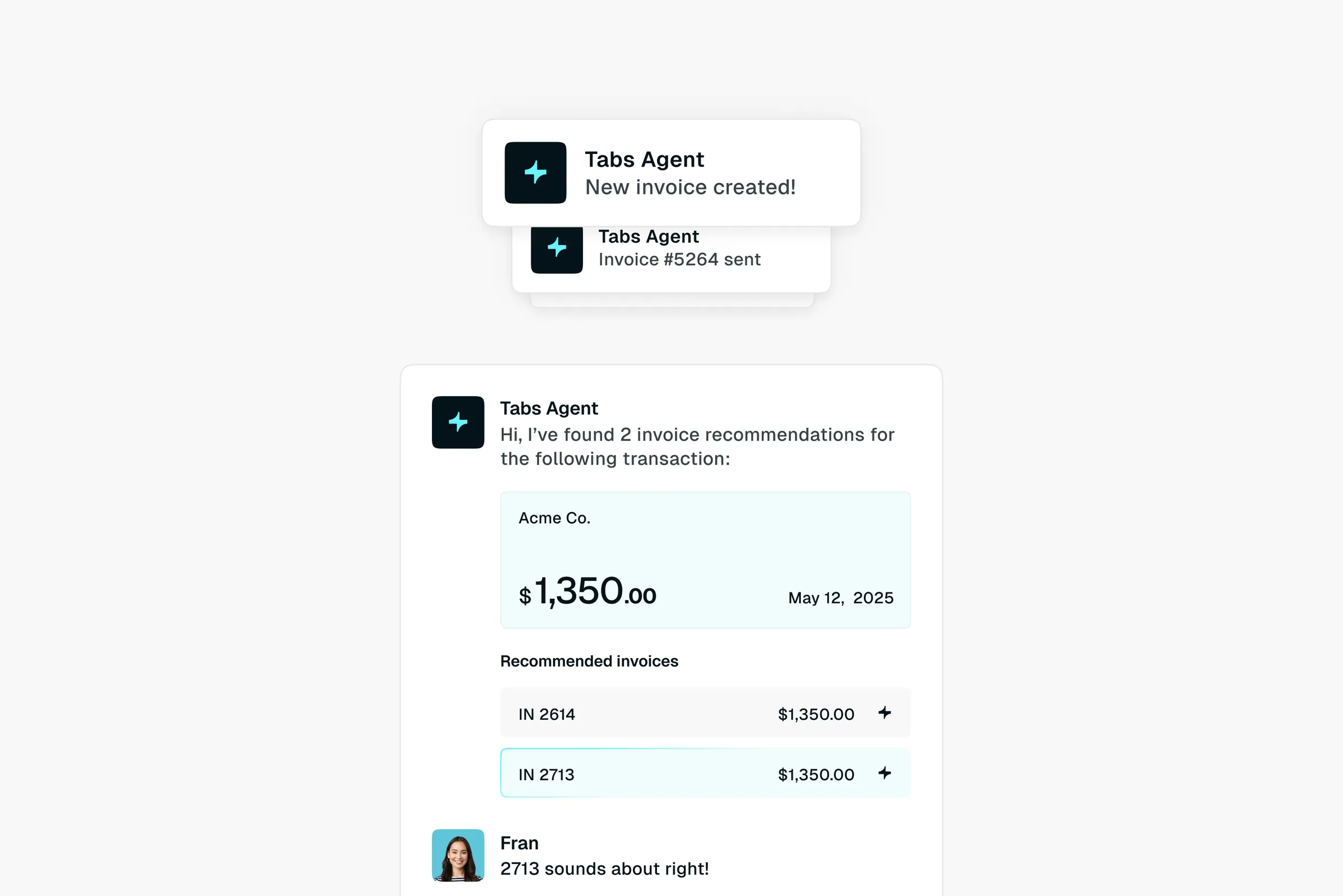
Most legacy systems require finance teams to manually enter contract details or rely on rigid field mappings that fail when terms change. This creates downstream reconciliation work. Tabs takes a different approach—using AI to operationalize signed contracts downstream of your CRM and CPQ by ingesting terms directly from executed agreements. Tabs uses AI agents to parse PDFs, Word docs, and email attachments, then converts those terms into billing workflows and schedules—minimizing manual data entry and routing edge cases for review.
Here's how the process flows:
- Contract data enters the system. This happens through manual entry, CRM integration, or AI-powered contract ingestion that captures unstructured terms automatically
- The billing engine applies pricing rules. It calculates amounts based on subscription tiers, usage meters, or hybrid models defined in the agreement
- Invoices are generated and delivered. The system creates clean, branded invoices and sends them via email or customer portal on the correct schedule
- Payments are captured and matched. Integrated payment gateways process the transaction, and the system reconciles cash against the open invoice
- Exceptions surface for review. Failed payments trigger dunning workflows, so discrepancies get flagged immediately rather than discovered at month-end
Turn contracts into invoices automatically
Benefits of automated billing systems
Why does this matter? Because manual billing doesn't scale. Deloitte's Finance Trends 2026 report found 64% of finance leaders now prioritize AI and automation capabilities over traditional approaches.
Every hour your finance team spends creating invoices is an hour they're not spending on strategic work. Deloitte's Q4 2025 CFO Signals survey found 49% of CFOs prioritize automating processes to free employees for higher-value work. And every manual keystroke is an opportunity for error.
Automated billing shifts finance from a reactive, administrative function to a strategic driver of growth. Here's what that looks like in practice:
- Reduced manual work: No more copying contract terms into spreadsheets or chasing down PDFs to verify billing details
- Faster payment cycles: Automated reminders and embedded payment links get you paid faster and reduce Days Sales Outstanding (DSO). Research from Invensis shows organizations with dedicated AR automation experience a 32% decrease in DSO.
- Fewer billing errors: System-generated invoices match contract terms exactly, eliminating the disputes that delay payment
- Real-time visibility: Dashboards show what's been billed, what's outstanding, and when cash will actually land—not just when invoices are due
- Scalability: Handle growing invoice volumes without proportionally increasing finance headcount
- Audit readiness: Maintain rigorous audit trails and apply consistent billing logic across every customer
Core features of automated billing software
Not all billing systems are created equal. A tool designed for simple monthly subscriptions will fail when faced with B2B enterprise contracts. The best platforms handle hybrid pricing, multi-currency support, and usage-based billing without requiring custom engineering work.
Why it matters: The features you prioritize depend on your billing model. Subscription-only businesses need different capabilities than companies with usage-based or hybrid pricing.
Invoice automation
Invoice automation means the system creates and sends invoices without manual intervention. You should be able to customize templates with your branding, control line-item detail, and set delivery preferences. Advanced systems generate invoices directly from contract terms—no PDF review required.
Why it matters: Eliminates the manual work of translating contracts into invoices and ensures billing accuracy from day one.
Payment processing and reconciliation
Your billing system must integrate with payment gateways to accept credit cards, ACH, and wire transfers. But accepting money is only half the job. The system should automatically match incoming payments to specific invoices—a process called cash application. This reconciliation happens continuously, not just at month-end.
Why it matters: Reduces the manual work of closing books and catches discrepancies the moment they happen.
Usage metering and rating
For companies with usage-based pricing (sometimes called consumption-based pricing), the system must ingest raw usage data and apply rating rules. Rating is the process of calculating charges based on tiered or volume pricing. This capability is essential for API-based products, metered pricing, or hybrid models that combine recurring fees with overage charges.
Why it matters: Enables flexible pricing models without requiring custom development for every new product launch.
Integrations and APIs
Your billing system can't exist in a silo. It must connect to your ERP for general ledger sync, your CRM for customer data, and your payment processors for transactions. Robust APIs let you extend functionality and even embed billing into your own product. Tabs offers native integrations with QuickBooks, NetSuite, Stripe, HubSpot, and Sage Intacct.
Why it matters: Fragmented systems create data silos and reconciliation headaches that consume finance time.
Analytics and reporting
Automated billing systems are rich sources of financial data. Expect dashboards showing Monthly Recurring Revenue (MRR), Annual Recurring Revenue (ARR), churn, and AR aging. Modern platforms don't just show when invoices are due—they forecast when cash will actually land based on historical payment behavior.
Why it matters: Real-time data supports accurate forecasting and gives board members confidence in your numbers.
How to choose automated billing software
Selecting billing software is a high-stakes decision. You're choosing infrastructure that will touch every dollar of revenue. The goal is to find a system that solves today's pain points while supporting the pricing models you'll launch in the future.
Frame your evaluation around these questions:
| Consideration | Questions to ask | Why it matters |
|---|---|---|
| Billing model support | Does it handle subscription, usage-based, and hybrid models natively? | Workarounds create technical debt and manual reconciliation |
| Integration depth | How does it connect to your ERP, CRM, and payment processors? | Fragmented systems create data silos |
| Implementation timeline | How long until you're live? What resources are required? | Faster time-to-value means faster ROI |
| Scalability | Can it handle your projected growth? | Switching costs are high—plan 18–24 months ahead |
| Security | Is it SOC 2 compliant? | Non-negotiable for enterprise finance |
How to implement an automated billing system
Implementation success depends more on data preparation than software configuration. The companies that struggle are the ones who underestimate how messy their contract data really is.
Assess your billing requirements
Before selecting a platform, document your pricing models, billing frequencies, and payment methods. Map out the manual processes you want to eliminate. This assessment ensures you choose software that fits your operational reality—not a generic tool you'll outgrow in six months.
Map contracts and data sources
Audit your existing contracts to understand the full range of terms, pricing structures, and edge cases. Where does your contract data live today? CRM? File storage? Email threads? This step often reveals inconsistencies in how deals were historically structured.
Connect your ERP and CRM
Configure integrations so billing data flows to your general ledger and customer records stay synchronized. Test data sync thoroughly in a sandbox before pushing anything to production. A broken integration creates more problems than it solves.
Configure pricing and billing rules
Set up your pricing models, billing schedules, tax rules, and dunning workflows. Validate that calculated amounts match expected outputs for representative scenarios—including edge cases like mid-cycle upgrades, prorations, and cancellations.
Test, train, and go live
Run parallel billing cycles where you generate invoices in both old and new systems to verify accuracy. Train your team on new workflows and exception handling. Establish monitoring procedures, then make the switch.
How Tabs automates billing for B2B finance teams
Tabs is built specifically for B2B companies managing complex revenue workflows. Unlike generic tools, Tabs uses AI to ingest terms directly from signed contracts—PDFs, Word docs, email attachments. Tabs doesn't just extract fields; it captures commercial context and converts contract terms into accurate billing schedules and Revenue Recognition inputs aligned to your accounting rules.
This solves the "garbage in, garbage out" problem that plagues most billing implementations. By building what we call the Commercial Graph—a unified record of contracts, usage data, and payments—Tabs ensures finance teams work with accurate, contextual data from the start.
Tabs delivers complete contract-to-cash automation through:
- AI contract ingestion: Parses, classifies, and normalizes terms from signed contracts—minimizing manual data entry and flagging exceptions
- Flexible billing models: Native support for subscription, usage-based, and hybrid billing
- Automated collections: Embedded payment links and smart dunning workflows reduce DSO
- Revenue Recognition: Accounting Standards Codification 606 (ASC 606)-compliant automation powered by contract and billing data
- Real-time reporting: Immediate visibility into ARR, cash, AR aging, and renewals
Security is foundational. Tabs maintains Service Organization Control 2 (SOC 2) compliance with enterprise-grade encryption. Native integrations mean Tabs serves as the intelligent layer connecting your entire finance stack.
Frequently asked questions
What is the difference between automated billing and manual billing?
Manual billing requires finance staff to create invoices individually, track payments in spreadsheets, and follow up on overdue accounts one by one. Automated billing handles these tasks systematically based on predefined rules and contract terms, executing without human intervention unless an exception occurs.
Can automated billing systems handle usage-based and hybrid pricing models?
Modern platforms support seat-based, subscription, usage-based, and hybrid pricing natively. However, capabilities vary significantly between vendors. Verify that a specific platform supports your metering and rating requirements before committing.
How long does it typically take to implement automated billing software?
Implementation timelines depend on data complexity and team readiness. Legacy ERP implementations can take 9–12 months, while modern platforms designed for faster deployment can have companies live in weeks.
What ERP and CRM integrations should automated billing software include?
Essential integrations include ERP systems for general ledger sync, CRM platforms for customer data accuracy, and payment gateways for transaction processing. Look for developer-friendly APIs that allow custom connections when native integrations don't exist.
Explore how Tabs can help you operationalize signed contracts and go live in <30 days. Get a demo—go live in under 30 days